

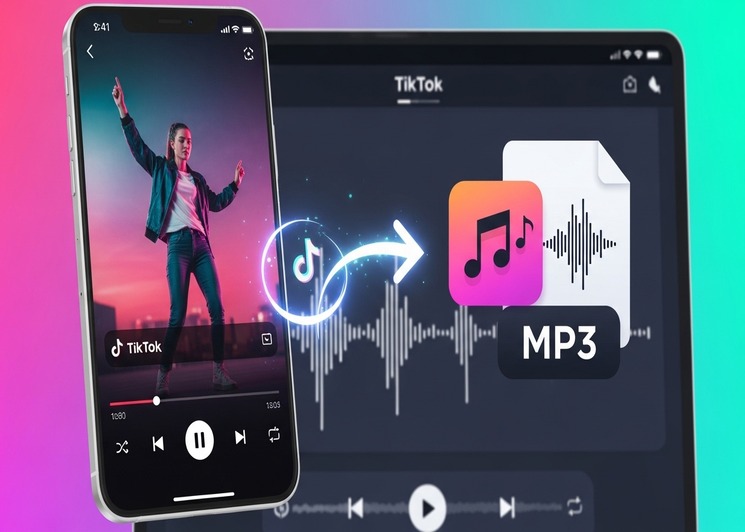
In the age of digital media, TikTok has become a global hub for creativity, entertainment, and viral content. With millions of videos uploaded daily, users often find themselves wanting to save their favorite audio clips for offline listening, remixes, or personal projects. This is where a TikTok MP3 converter comes into play. In this article, we’ll dive deep into what TikTok MP3 converters are, how they work, legal considerations, and tips for safe usage.
Understanding TikTok MP3 Converters
A TikTok MP3 converter is a tool or software that allows users to extract the audio from TikTok videos and save it as an MP3 file. Unlike downloading the video itself, a converter focuses solely on the audio track, making it convenient for users who want music, sound effects, or viral audio clips for offline use. These tools are available online, as desktop software, or even as mobile applications.
MP3 has remained a popular audio format for decades due to its compatibility across devices and its ability to compress audio without significant loss of quality. This makes it the preferred format for anyone looking to extract TikTok audio for personal use.
How TikTok MP3 Converters Work
Most TikTok MP3 converters follow a straightforward process. Here’s a breakdown:
- Copy Video Link: Start by copying the URL of the TikTok video containing the audio you want.
- Paste in Converter: Open your chosen TikTok MP3 converter and paste the video link into the provided field.
- Select Audio Quality: Some converters allow you to choose the audio quality, such as 128kbps, 192kbps, or 320kbps. Higher quality results in larger file sizes.
- Convert and Download: Click the convert button, and within moments, the tool extracts the audio and provides a downloadable MP3 file.
The entire process typically takes less than a minute, depending on the video length and your internet connection.
Advantages of Using a TikTok MP3 Converter
Using a TikTok MP3 converter offers several benefits:
- Offline Access: Enjoy your favorite audio without relying on an internet connection.
- Convenience: Easily extract audio clips without needing complex software or technical skills.
- Creative Freedom: Use audio clips for personal projects, remixes, or background music in videos.
- Space Efficiency: MP3 files take up less storage space than full videos, allowing users to save more content.
Choosing the Right TikTok MP3 Converter
Not all converters are created equal. When selecting a tool, consider these factors:
- Safety and Security: Avoid converters that require unnecessary permissions or display excessive ads. Some websites may contain malware.
- Audio Quality: Choose a converter that offers multiple quality options to suit your needs.
- Speed: A fast converter can save time, especially when downloading multiple audio clips.
- Compatibility: Ensure the converter works on your device, whether it’s a smartphone, tablet, or desktop computer.
Popular online converters often require no installation and work directly in your browser, making them ideal for casual users.
Legal Considerations
It’s essential to understand the legal aspects when using a TikTok MP3 converter. TikTok’s terms of service prohibit unauthorized copying and redistribution of content, especially for commercial use. While personal use of extracted audio is generally safe, redistributing it or using it in monetized content can lead to copyright violations. Always respect intellectual property rights and give credit to creators whenever possible.
Tips for Safe and Efficient Audio Extraction
To make the most of a TikTok MP3 converter, follow these tips:
- Use Trusted Sources: Stick to well-known converters to avoid malware or phishing scams.
- Check File Before Use: Scan the downloaded MP3 with antivirus software if you’re unsure about its safety.
- Avoid Excessive Conversions: Frequent use of converters may put stress on your device or lead to temporary bans from certain websites.
- Keep Files Organized: Name your MP3 files clearly and store them in dedicated folders for easy access.
Alternatives to TikTok MP3 Converters
While a TikTok MP3 converter is convenient, other methods can also help you access TikTok audio:
- Screen Recording: Record the video on your device and extract audio using media software.
- Official TikTok Features: TikTok allows users to save videos with audio for offline viewing in some regions.
- Music Streaming Platforms: Some popular TikTok tracks are available on Spotify, Apple Music, or YouTube, providing a legal way to access the audio.
Common Issues and Troubleshooting
Even the best TikTok MP3 converters can encounter problems. Here are some common issues and solutions:
- Conversion Failed: Ensure the video link is correct and the video is publicly accessible.
- Poor Audio Quality: Try selecting a higher-quality option or using a different converter.
- Slow Download Speeds: Check your internet connection or try a lightweight converter without ads.
- Device Incompatibility: If a web converter doesn’t work on mobile, consider using a desktop version.
Future of TikTok MP3 Converters
As TikTok continues to grow, the demand for audio extraction tools is likely to increase. Developers are improving converters to provide higher-quality audio, faster processing, and safer user experiences. Additionally, integration with cloud storage and editing tools may make it easier than ever to manage your favorite TikTok audio clips.
Conclusion
A TikTok MP3 converter is a valuable tool for anyone looking to extract and enjoy audio from TikTok videos. By understanding how these converters work, selecting trusted tools, and respecting copyright laws, users can safely and efficiently access their favorite sounds. Whether you’re creating playlists, remixing tracks, or just saving audio for offline enjoyment, TikTok MP3 converters make audio extraction simple and convenient.
Using the right converter not only enhances your media experience but also ensures that your downloads are safe, high-quality, and enjoyable. With careful selection and responsible use, a TikTok MP3 converter can be an indispensable addition to your digital toolkit.